
Json to Jmx Converter
Seamlessly convert your Postman collections into JMeter-ready JMX test plans in seconds, no manual recreation, no wasted effort. Our intelligent converter preserves your HTTP requests, headers, bodies, and assertions, giving your team a head start on performance testing. Bridge the gap between API testing and load testing with a single click.
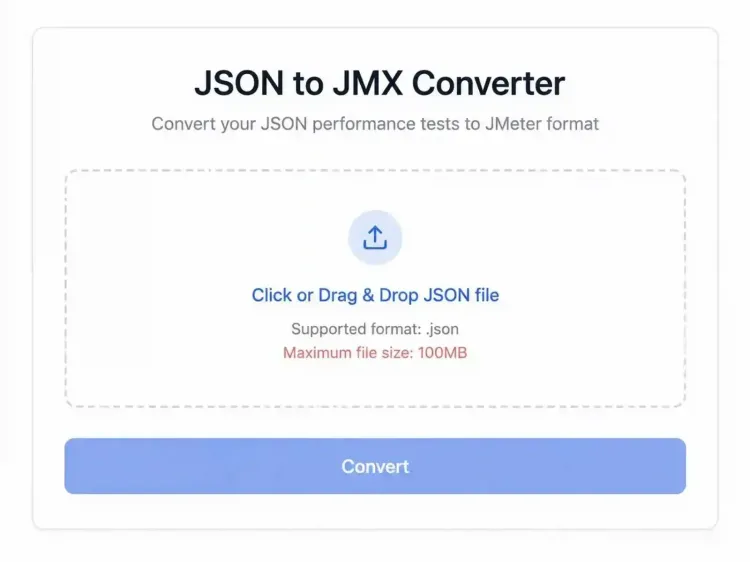










What is a JSON to JMX Converter?
A JSON to JMX converter is a tool that converts Postman Collection JSON files into Apache JMeter JMX test plans. It helps QA engineers, developers, and performance testers quickly reuse existing API collections for load and performance testing without manually recreating requests in JMeter.
Postman is commonly used for API development and functional testing, while Apache JMeter is widely used for load, stress, and performance testing. By converting JSON collections into JMX files, teams can save time, reduce manual effort, and accelerate their testing process.
So basically, This tool simplifies the process of reusing your Postman API tests inside JMeter, allowing for efficient performance testing without recreating each API call manually.
How JSON to JMX Works

Export Your Postman Collection
Open Postman and navigate to the Collections tab. Select the collection you want to convert, click the three-dot menu (⋮), and choose Export. For best compatibility, export the collection in Collection v2.1 JSON format and save it to your computer.
Upload Your JSON File
Visit our JSON to JMX converter and click Choose File. Select the exported Postman collection JSON file from your system. The tool will securely process the file and prepare it for conversion.
Convert JSON to JMX
Click the Convert button to start the conversion process. The tool automatically transforms your Postman collection into a JMeter-compatible JMX test plan, preserving key request details such as endpoints, headers, and request payloads.
Download the Generated JMX File
Once the conversion is complete, click Download JMX File to save the generated test plan to your computer. The downloaded file is ready for use in Apache JMeter.
Open the File in Apache JMeter
Launch Apache JMeter and select File → Open. Locate the downloaded JMX file and import it into JMeter. Your API requests will now be available as a JMeter test plan.
Customize and Execute Your Test
Enhance your test plan by adding thread groups, listeners, timers, assertions, and other JMeter components. Execute the test to analyze API performance, response times, throughput, and scalability.
Convert Postman JSON Files to JMeter JMX Files in Minutes
Save time, reduce manual effort, and get your API test plans ready for load and performance testing.
Key Features of Json to Jmx
Convert large Postman collections into JMeter test plans within seconds.
Maintains API methods including:
GET
POST
PUT
PATCH
DELETE
Automatically transfers:
Request headers
Authentication details
JSON payloads
Form-data parameters
Generated files are compatible with Apache JMeter 5.x and above.
Convert collections without writing scripts or configuring complex plugins.
Why Use the JSON to JMX Converter?
Creating JMeter test plans manually from Postman collections can be time-consuming and error-prone. The Baseline11 JSON to JMX converter automates the process, helping QA engineers, performance testers, and developers accelerate load-testing workflows.
- Instant Postman to JMeter conversion
- No manual script creation
- Preserves API requests, headers, and payloads
- Supports Postman Collection v2.1
- Browser-based tool with no installation required
- Ready-to-use JMX files for Apache JMeter
Who Can Use This Tool?
QA Engineers
Quickly create API performance test scripts.
Performance Testers
Scale API tests from Postman to JMeter load testing.
Developers
Validate API performance before production releases.
DevOps Teams
Integrate JMeter testing into CI/CD workflows.
FAQs
Do You Have More Questions?
Our team is ready to provide you with a detailed consultation and answer any specific questions you may have.
Contact UsReady to Turn Your Postman Collections into JMeter Test Plans?
Convert your JSON files into JMeter-ready JMX test plans in seconds and accelerate your API performance testing workflow.