


Data has become the backbone of smarter, faster business decisions. From accurate forecasting to enhanced customer experiences and increased productivity, data-driven insights can significantly transform how organizations grow.
However, manually sifting through massive datasets to extract valuable insights isn’t practical, even for the most experienced teams. That’s where automated reporting tools come in.
These tools streamline data collection, analysis, and visualization, helping businesses generate quick, accurate, and actionable reports without the repetitive manual effort. With automation, teams gain access to real-time insights, reduce human error, and make strategic decisions that drive growth and efficiency.
In this guide, we’ll explore the essentials of automated reporting in testing, the top tools available, the benefits they provide, and what to look for when choosing the right tool for your QA workflow.
What are Automated Reporting Tools in Testing?
Automated reporting tools for testing are specialized software solutions that generate detailed, structured reports from your test executions. They work across manual, automated, and CI/CD test environments to give teams real-time insights into code quality and test coverage.
While every platform has its own unique features, most automated reporting tools include these key elements:
Key features usually include:
- Centralized test data: Aggregate results from multiple test frameworks and environments in one place.
- Real-time test insights: Get updated metrics automatically as tests run, without waiting for manual compilation.
- Seamless integration: Work with popular testing frameworks like JUnit, TestNG, Selenium, Cypress, or Playwright.
- Automated scheduling: Generate and share test reports automatically after each test run or at defined intervals.
- Security & compliance: Protect sensitive test data and maintain audit-ready reporting.
- Collaboration features: Share reports with developers, testers, and managers, enabling faster decision-making.
Benefits of automated test reporting include:
- Consolidated test results for better visibility
- Faster debugging with detailed logs, screenshots, and error traces
- Reduced risk of reporting errors
- Actionable insights tailored to your QA goals
With these tools, reporting stops being a chore and becomes a powerful way to make smarter, faster decisions.
Top 10 Best Automated Reporting Tools
These tools are designed to simplify data analysis, save time, and provide actionable insights for smarter business and testing decisions.
1. Allure Test Report
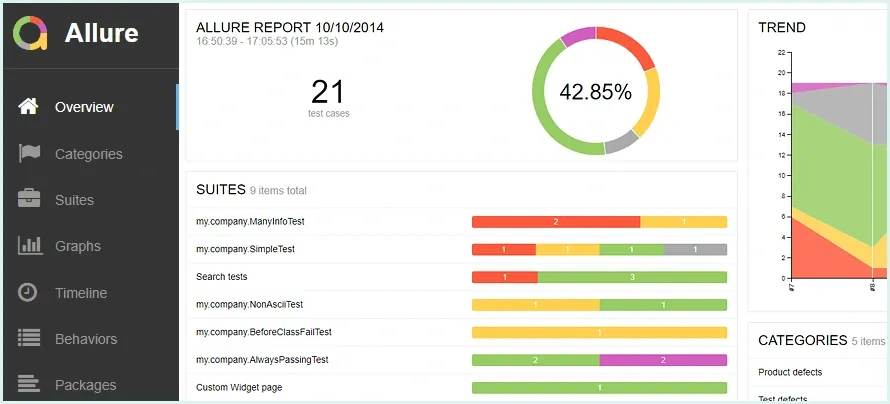
Allure is a widely used test reporting framework that creates visually appealing and interactive reports for test automation frameworks like JUnit, TestNG, PyTest, and more. It helps teams quickly analyze test results with detailed logs and trends over time.
Key Features:
- Interactive dashboards and charts
- Logs, screenshots, and video attachments
- History tracking for test executions
- CI/CD integration for automated updates
2. ExtentReports
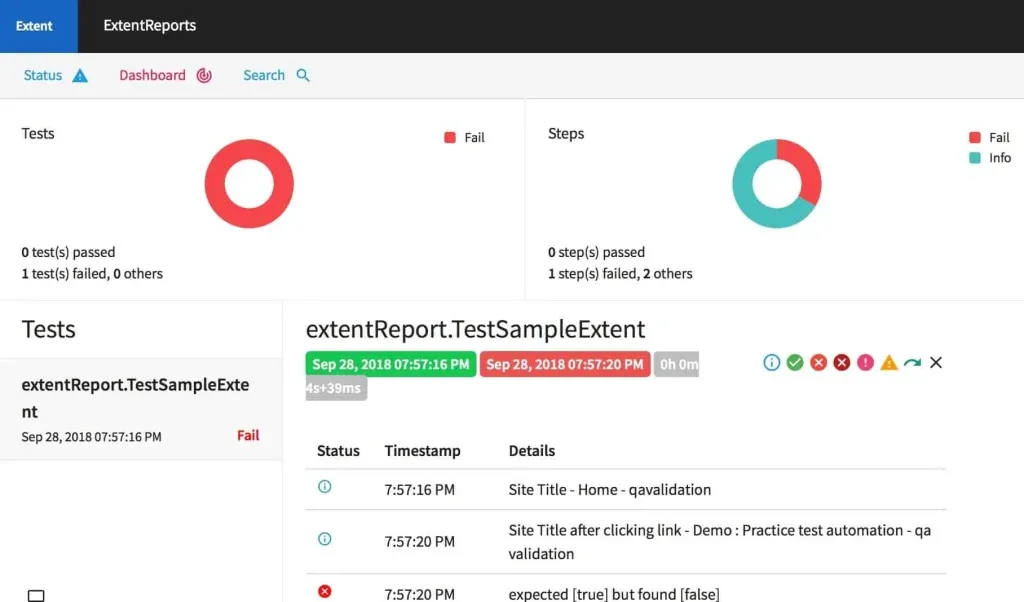
ExtentReports is a flexible reporting library commonly used with Selenium and other automation frameworks. It allows testers to generate professional HTML reports with detailed insights, charts, and media attachments.
Key Features:
- Rich visual dashboards with charts and graphs
- Supports screenshots and test logs
- Customizable report layouts
- Integration with Java, .NET, and BDD frameworks
3. ReportPortal
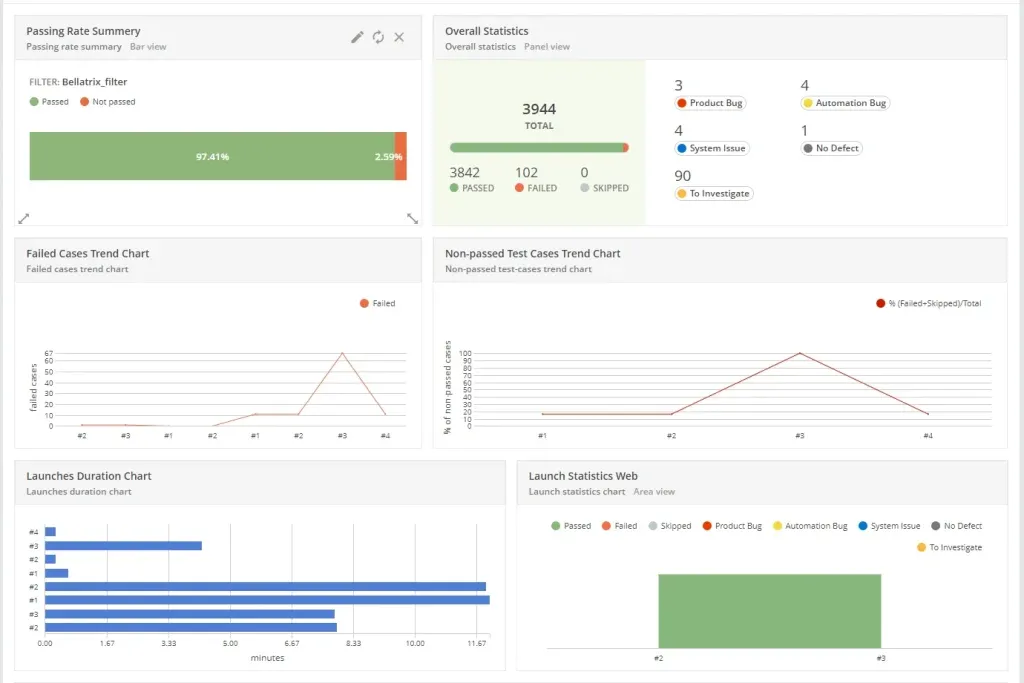
ReportPortal is a real-time reporting and analytics tool designed for automated testing. It aggregates results from multiple test runs and provides AI-assisted analysis of failures, helping teams identify recurring issues.
Key Features:
- Real-time reporting and trend analysis
- AI-driven defect classification
- Supports multiple frameworks and CI/CD pipelines
- Dashboard for test metrics and history
4. TestNG Reports
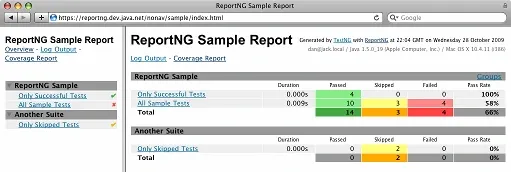
TestNG, a popular testing framework for Java, comes with built-in reporting capabilities. It generates detailed XML and HTML reports that show pass/fail rates, skipped tests, and execution statistics.
Key Features:
- Built-in HTML and XML reports
- Test execution summary with detailed logs
- Supports parallel testing and grouping
- Easy integration with Jenkins and CI/CD tools
5. Jenkins Test Reporting Plugins
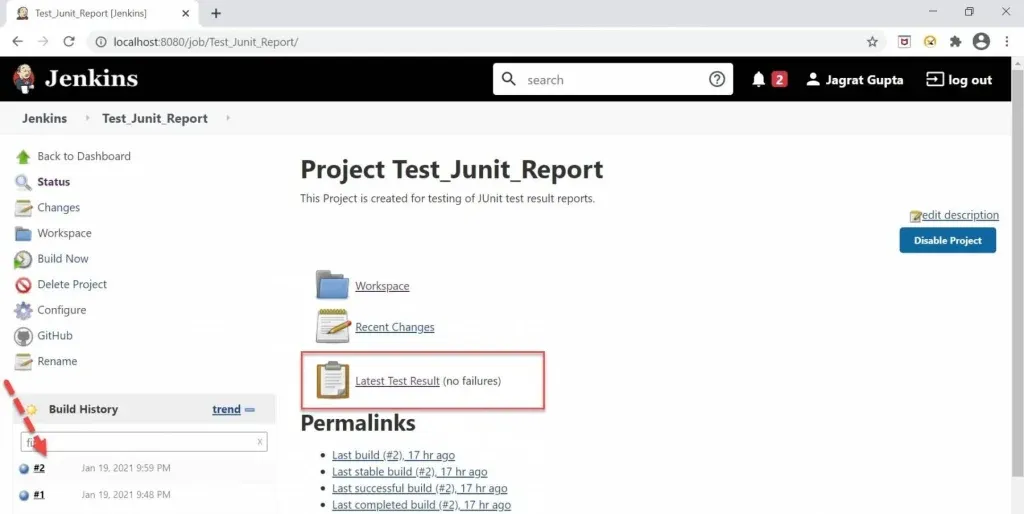
Jenkins plugins like JUnit, Allure, and HTML Publisher automate the generation of test reports after every build. Teams can track results over time, visualize trends, and share reports automatically with stakeholders.
Key Features:
- Automated report generation after each build
- Trend charts and historical comparisons
- Pass/fail rate tracking
- CI/CD integration with multiple frameworks
6. Cucumber Reports
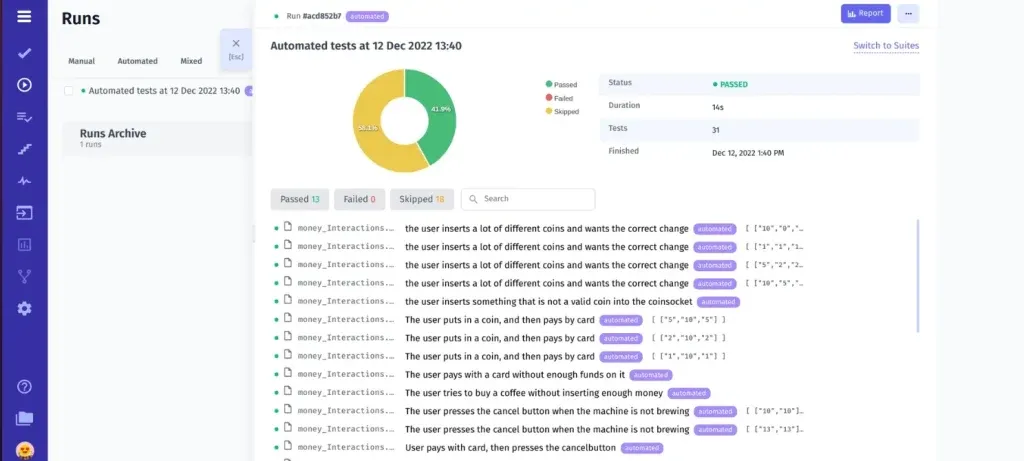
Cucumber Reports are designed for Behavior-Driven Development (BDD) frameworks. They transform test results into readable HTML, JSON, or PDF reports, making it easier for both technical and non-technical stakeholders to understand test outcomes.
Key Features:
- Readable BDD scenario reports
- HTML, PDF, and JSON formats
- Supports screenshots and attachments
- Integration with Selenium, Jenkins, and CI/CD pipelines
7. Robot Framework Reports
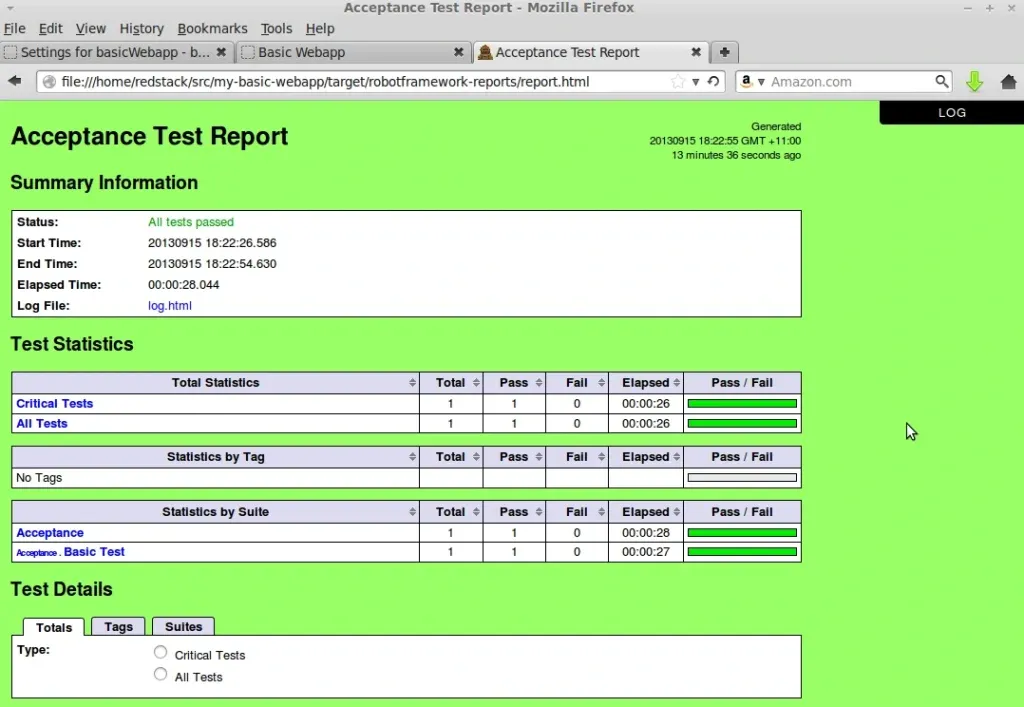
Robot Framework automatically generates detailed HTML and XML reports for every test execution. It includes logs, test summaries, and keyword-level breakdowns, which makes debugging faster and more efficient.
Key Features:
- Built-in HTML and XML reports
- Logs with screenshots and detailed execution steps
- Keyword-level test insights
- Integration with CI/CD pipelines
8. Katalon TestOps
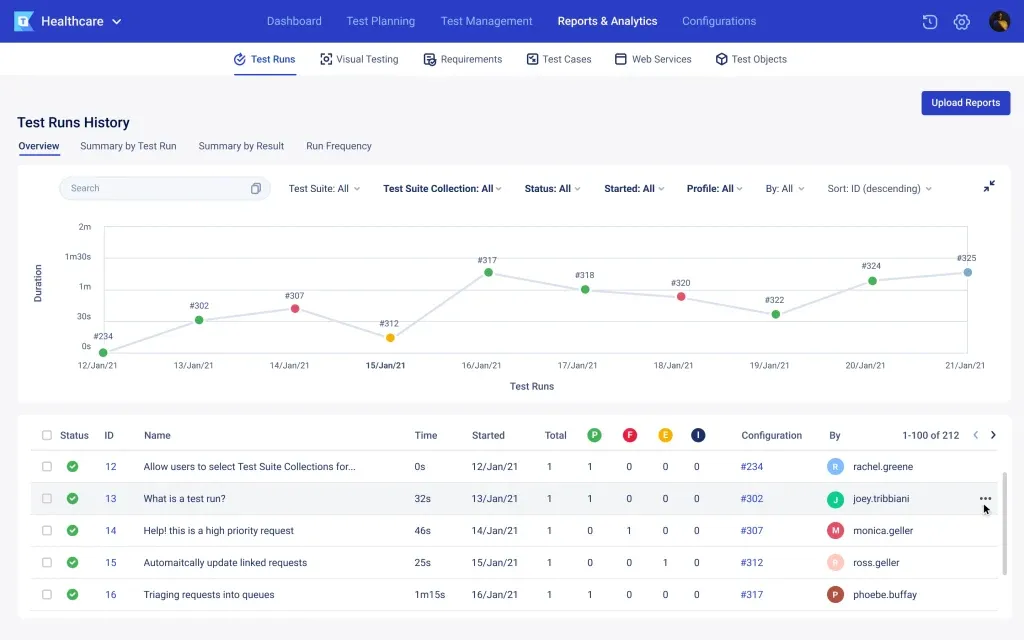
Katalon is an enterprise-grade platform for test management and reporting. It centralizes test execution data, provides advanced analytics, and allows teams to track automation coverage and quality trends.
Key Features:
- Real-time test reporting and dashboards
- Analytics for trends and coverage
- CI/CD integration for automated reporting
- Supports Selenium, Appium, API, and mobile testing
9. TestRail
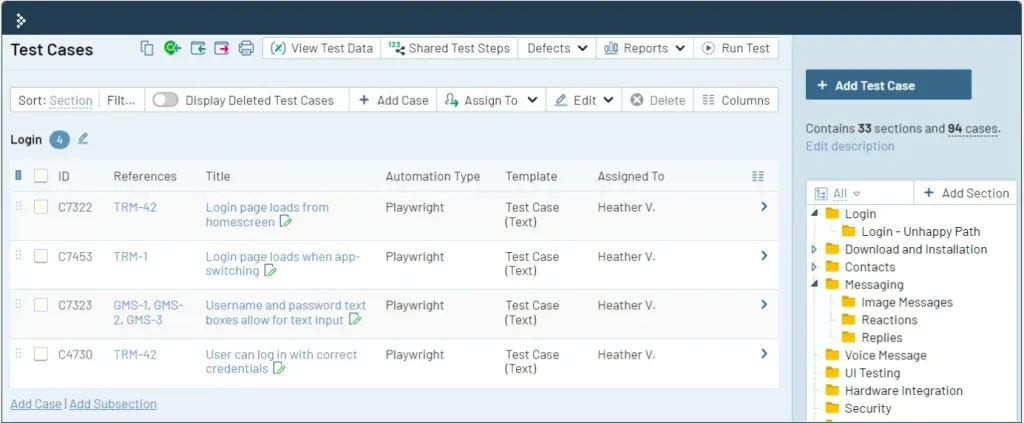
TestRail is a test management tool that integrates with automation frameworks to collect results and generate detailed reports. It helps teams monitor test progress, identify bottlenecks, and improve overall test coverage.
Key Features:
- Customizable dashboards and reporting
- Tracks automated and manual test results
- Historical trends and KPI tracking
- Integration with CI/CD tools and defect trackers
10. 11Automation
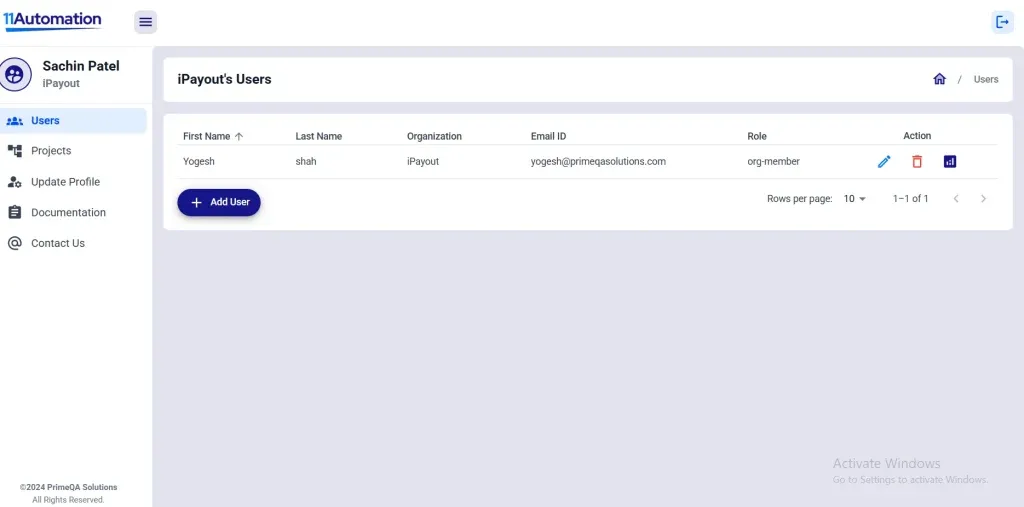
The PrimeQA Test Dashboard (hosted on the 11Automation platform) is designed to bring real-time visibility into your test automation pipelines. It helps QA teams monitor test metrics, visualize results, and track trends through an intuitive, centralized dashboard all in a single interface.
Key Features:
- Real-time monitoring of automation test runs
- Customizable dashboards for key QA metrics
- Historical trend and failure analysis
- Seamless CI/CD integration
- Team collaboration and alert notifications
How to Select an Automated Reporting Tool?
Picking the right automated reporting tool can make or break your QA workflow. To ensure you get the most out of your testing efforts, keep these factors in mind:
-
Framework Compatibility: Make sure the tool works smoothly with the test frameworks you already use, like Selenium, Cypress, JUnit, or TestNG. Seamless integration keeps your workflow uninterrupted.
-
Integration with CI/CD: Choose a tool that plugs easily into your CI/CD pipeline, whether you’re using Jenkins, GitLab CI, or CircleCI, so reports are automatically generated with every build.
-
Customization & Flexibility: Your tool should let you tailor reports to highlight the metrics that matter most, from test coverage to pass/fail rates.
-
Performance Impact: Opt for a solution that won’t slow down your tests or hinder execution speed, even with large test suites.
-
Ease of Use: A user-friendly interface and minimal learning curve ensure testers and developers can start generating insights immediately.
-
Cost vs. Value: Evaluate whether free, open-source, or subscription-based tools give you the insights you need without breaking the budget.
-
Robust Reporting Capabilities: Look for detailed dashboards, trend analysis, actionable metrics, and clear visualizations to support data-driven decisions.
Choosing the right tools and implementing them correctly can be challenging. Our test automation services provide expert guidance to set up automated reporting, streamline QA workflows, and maximize efficiency.
Benefits of Automated Reporting Tools in Testing
Integrating an automated reporting tool can completely transform your QA process:
- Clear Visibility: See test results in real time and identify issues immediately.
- Faster Debugging: Detailed logs, screenshots, and error traces make troubleshooting faster and easier.
- Consistent Reporting: Standardized, high-quality reports every time, eliminating manual inconsistencies.
- Improved Collaboration: Share reports easily, allowing developers, testers, and stakeholders to act on insights quickly.
- Time Savings: Automate repetitive reporting tasks, freeing your team to focus on testing and quality improvement.
- Smarter Decision-Making: Use accurate, detailed reports to make informed decisions on code quality, release readiness, and prioritization.
- Scalability: Handle large test suites and complex environments effortlessly, supporting growth and evolving project needs.
Supercharge Your QA with the Right Reporting Tools!
Looking to implement industry-leading test reporting solutions?
PrimeQA Solutions helps you select, integrate, and scale the best automation tools from TestRail to Report Portal and beyond.
Contact Us for Expert QA Support
Conclusion
Automated reporting tools are no longer a luxury, they’re a necessity for modern QA teams aiming for speed, accuracy, and smarter decision-making. By choosing the right tool, you can streamline test reporting, reduce manual errors, and gain real-time insights that empower your team to deliver higher-quality software faster.
From improving collaboration to handling complex test suits effortlessly, these tools transform raw test data into actionable intelligence. Investing in the right automated reporting solution doesn’t just save time, it elevates your entire testing workflow, enabling your team to focus on what really matters: building reliable, high-performing software.